















Postman如何使用代理
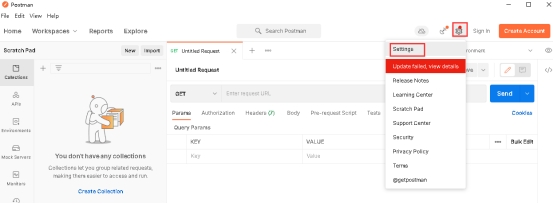
1.点击如图位置图标,选择“Settings”
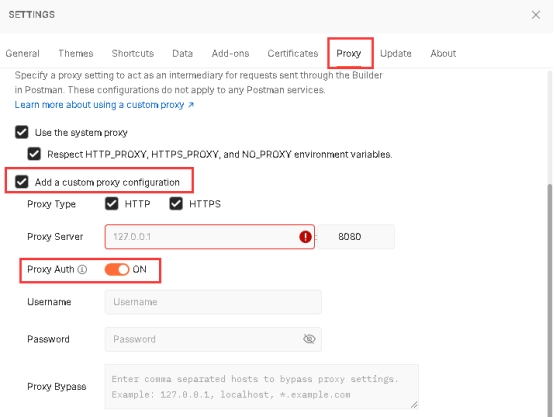
2.点击“Proxy”,勾选“Add a custom proxy configuration”,在Proxy Server处填入对应的代理IP和端口,设置Proxy Auth为“ON”即可在下方输入Username和Password。设置完成后关闭SETTINGS框即可
1.点击如图位置图标,选择“Settings”
2.点击“Proxy”,勾选“Add a custom proxy configuration”,在Proxy Server处填入对应的代理IP和端口,设置Proxy Auth为“ON”即可在下方输入Username和Password。设置完成后关闭SETTINGS框即可
