Windows10系统运行软件的时候提示没有注册类的解决办法
1.使用快捷键`Win+R`打开运行窗口,然后输入`services.msc`然后回车确认。
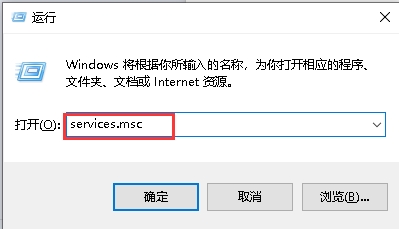
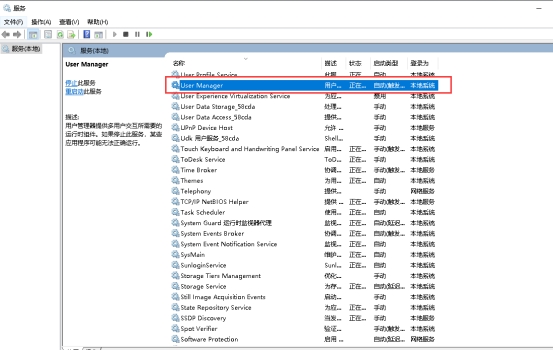
2.在打开的服务页面中找到并双击“User Manager”服务。
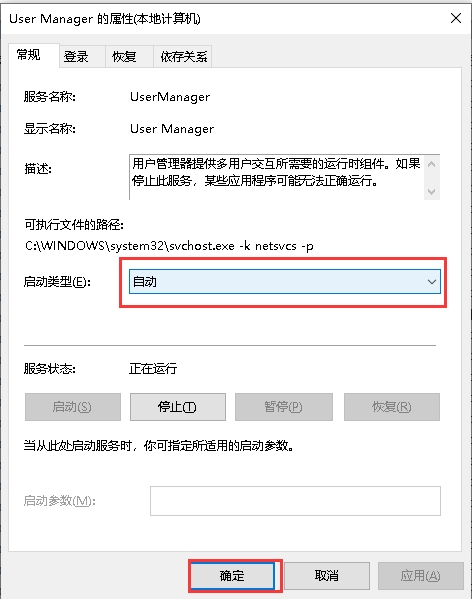
3.在打开的“User Manager的属性”窗口中,把其启动类型修改为“自动”,接着点击“确定”按钮,然后重新启动电脑就可以了。
Windows系统gpedit.msc找不到的解决方法
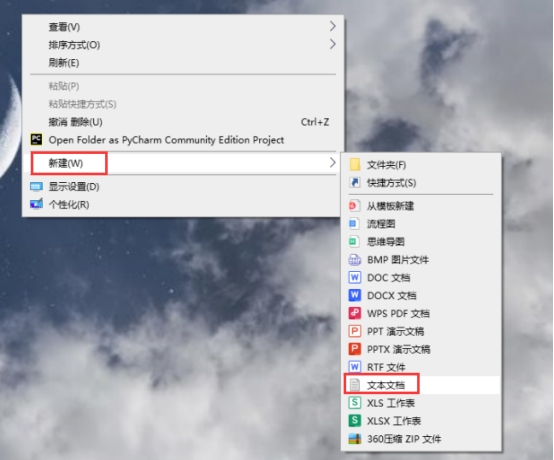
1.鼠标右键选择“新建”然后点击“文本文档”。
2.在文本文档中输入以下代码,然后保存。
Windows Registry Editor Version 5.00[HKEY_CURRENT_USER\Software\Microsoft\Windows\CurrentVersion\Group Policy Objects\LocalUser\Software\Policies\Microsoft\MMC][-HKEY_CURRENT_USER\Software\Microsoft\Windows\CurrentVersion\Group Policy Objects\LocalUser\Software\Policies\Microsoft\MMC\{8FC0B734-A0E1-11D1-A7D3-0000F87571E3}]"Restrict_Run"=dword:00000000[HKEY_CURRENT_USER\Software\Policies\Microsoft\MMC][-HKEY_CURRENT_USER\Software\Policies\Microsoft\MMC\{8FC0B734-A0E1-11D1-A7D3-0000F87571E3}]"Restrict_Run"=dword:00000000[HKEY_CURRENT_USER\Software\Policies\Microsoft\MMC]"RestrictToPermittedSnapins"=dword:00000000
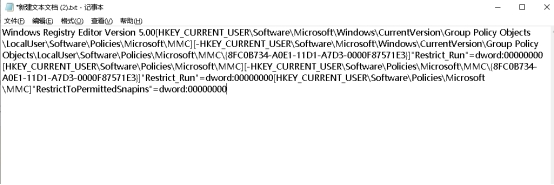
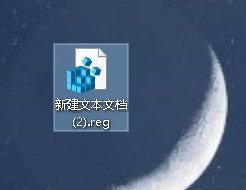
3.然后将文件后缀名更改为.reg,双击运行以后就可以找到了,重启电脑以后再次输入gpedit.msc命令就可以打开组策略了。
Centos7.6如何查看最近一次系统启动时间
1.输入该命令按回车键即可查看:`date -d "$(awk -F. '{print $1}' /proc/uptime) second ago" +"%Y-%m-%d %H:%M:%S"`

Mac系统如何刷新DNS缓存
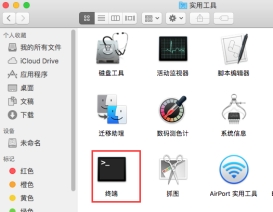
1.打开终端
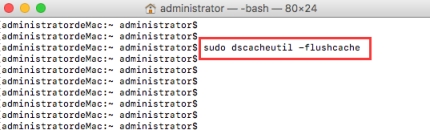
2.输入该命令按回车键即可:`sudo dscacheutil -flushcache`
Windows10系统更改用户名找不到本地用户的解决办法
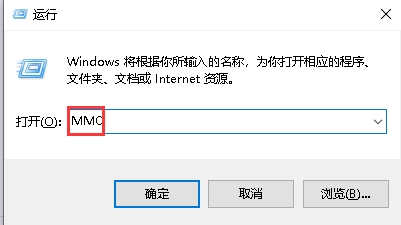
1.使用快捷键`Win+R`打开运行窗口,然后输入`MMC`然后回车确认。
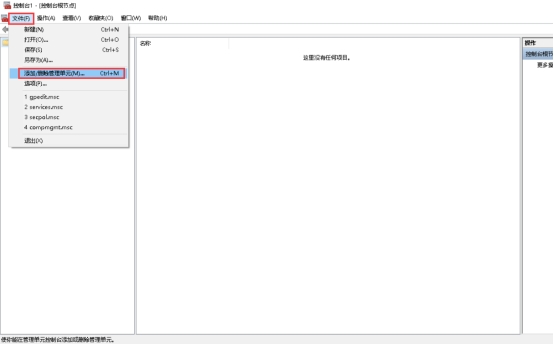
2.点击左上角的“文件”,接着点击下方选项列表中的“添加/删除管理单元”。
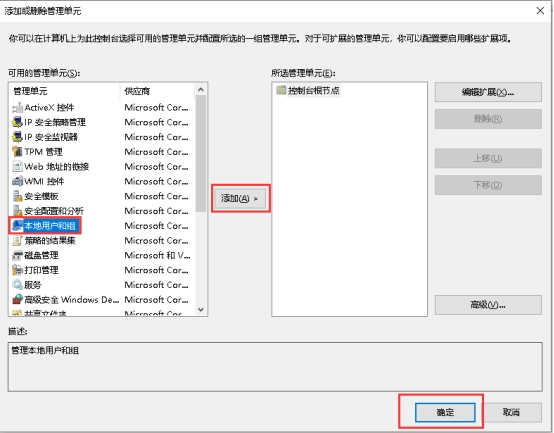
3.然后选中左侧栏中的“本地用户和组”,并点击中间的“添加”按钮,最后点击“确定”就可以了。
Windows10系统控制面板打开后出现错误的解决办法
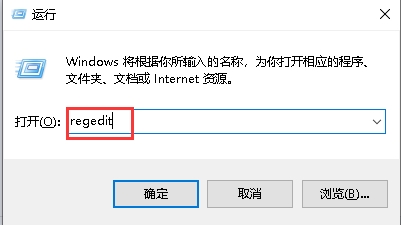
1.使用快捷键`Win+R`打开运行窗口,然后输入`regedit`然后回车确认。
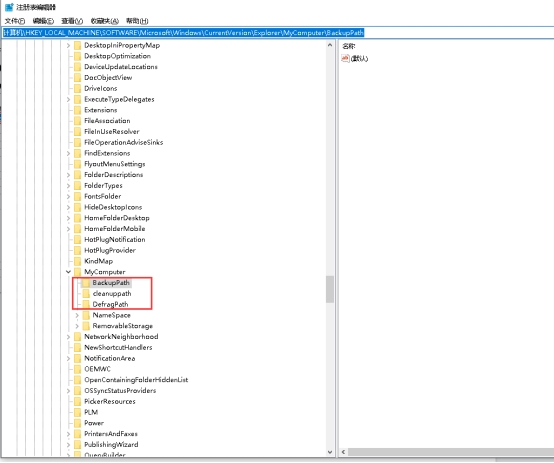
2.在打开的窗口界面中,将`计算机\HKEY_LOCAL_MACHINE\SOFTWARE\Microsoft\Windows\CurrentVersion\Explorer\MyComputer\BackupPath`复制粘贴到上方地址栏中并回车定位到此。
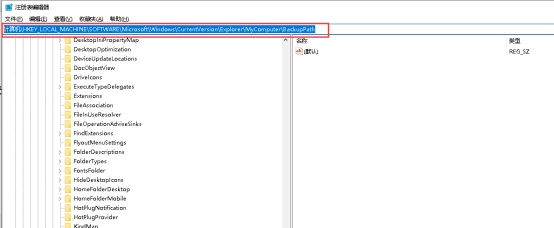
3.后将“MyComputer”文件夹中的所有子目录全部删除即可解决问题。
Ubuntu18.04系统中如何安装json文本处理器jq
如何安装命令行浏览器elinks呢?本文给出详细说明。
1.更新apt资源
**sudo apt-get update**
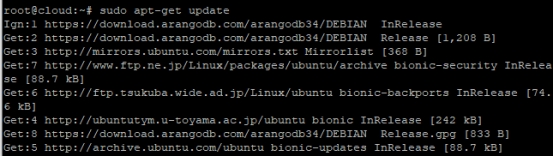
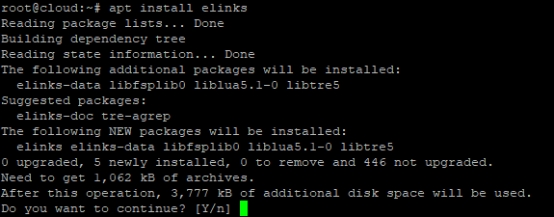
2.安装elinks,等待安装完成
**apt-get install elinks**
Ubuntu18.04系统中如何安装命令行浏览器elinks
如何安装命令行浏览器elinks呢?本文给出详细说明。
1.更新apt资源
**sudo apt-get update**

2.安装elinks,等待安装完成
**apt-get install elinks**

Ubuntu下卸载vsftpd出现dpkg报错处理方法
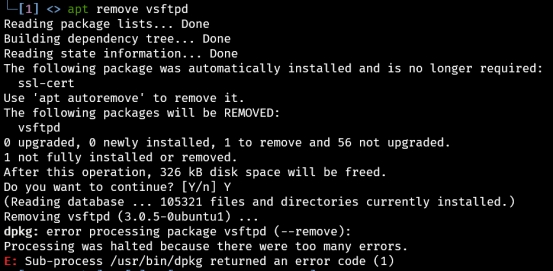
1.卸载vsftpd出错
apt remove vsftpd
Reading package lists... Done
Building dependency tree... Done
Reading state information... Done
The following package was automatically installed and is no longer required:
ssl-cert
Use 'apt autoremove' to remove it.
The following packages will be REMOVED:
vsftpd
0 upgraded, 0 newly installed, 1 to remove and 56 not upgraded.
1 not fully installed or removed.
After this operation, 326 kB disk space will be freed.
Do you want to continue? [Y/n] Y
(Reading database ... 105321 files and directories currently installed.)
Removing vsftpd (3.0.5-0ubuntu1) ...
dpkg: error processing package vsftpd (--remove):
Processing was halted because there were too many errors.
E: Sub-process /usr/bin/dpkg returned an error code (1)
2.解决方法
\# 手动删除用户ftp
sudo deluser --system ftp

如果提示 `The user `ftp' is not a system user. Exiting.`,可以执行一下命令
sudo deluser ftp
\# 删除vsftpd
sudo apt remove vsftpd
Ubuntu系统如何安装跟使用tcping命令
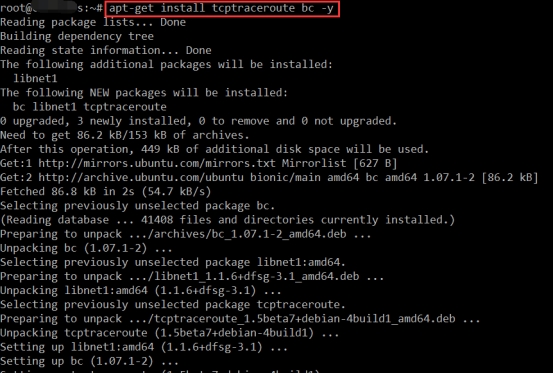
1.安装所需要的依赖包
apt-get install tcptraceroute bc -y
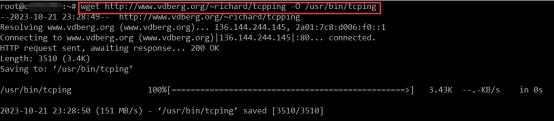
2下载tcping工具
wget http://www.vdberg.org/~richard/tcpping -O /usr/bin/tcping
3设置tcping权限
chmod +x /usr/bin/tcping
4测试工具可用性
tcping www.baidu.com 443