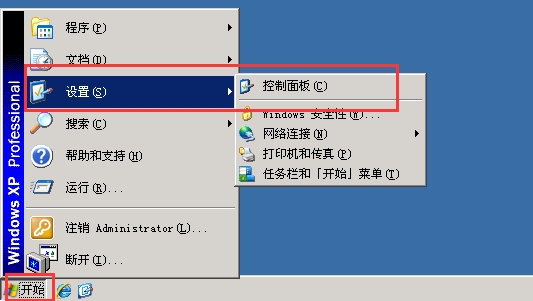
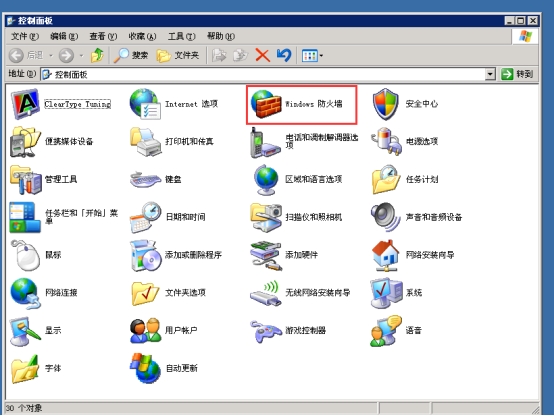
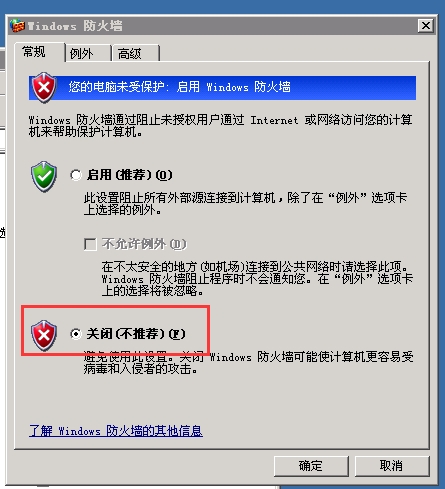
Windows XP 关闭防火墙步骤 发布时间:2024-03-18 11:44 1.点击左下角“开始”按钮,进入“设置”选择“控制面板”。 2.双击“Windows防火墙”选项。 3.在“Windows防火墙”设置中勾选“关闭(不推荐)”选项,并确定。